


HME software is only as useful as the problems it actually solves. For DME providers evaluating platforms (whether moving off legacy systems or buying software for the first time) the feature list can feel overwhelming. This guide cuts through that. Below are the 8 capabilities every HME/DME platform needs to have, what good looks like in each area, and the questions to ask any vendor before you commit.
What is HME software? HME software (also referred to as DME software or home medical equipment software) is a platform that manages the operational and financial workflows of a durable medical equipment business, including HME billing, inventory, order processing, delivery, and patient management, within a single system. Purpose-built HME platforms replace the fragmented mix of billing tools, spreadsheets, and manual processes that most DME providers still rely on today.
Is Your Current Software Holding You Back?
Before evaluating features, it helps to be honest about what your current setup is costing you. These are the most common problems DME providers report when they realise their software isn’t keeping up:
- High inventory costs and poor visibility into stock levels across locations
- Equipment loss and delivery gaps caused by manual tracking
- Paperwork fragmented across the order lifecycle, causing delays and write-offs
- Billing errors and claim denials from disconnected documentation processes
- Slow onboarding — new staff take weeks to become productive on legacy systems
- Data scattered across multiple systems and spreadsheets, making decisions slow
- No mobile capability for field teams, forcing paper-based delivery workflows
If more than two of these apply to your operation, you’re not facing an isolated problem — you’re working around a platform that wasn’t built for how DME businesses actually run. The right HME software addresses all of these systematically, not one at a time.
What Should HME Billing Software Include?
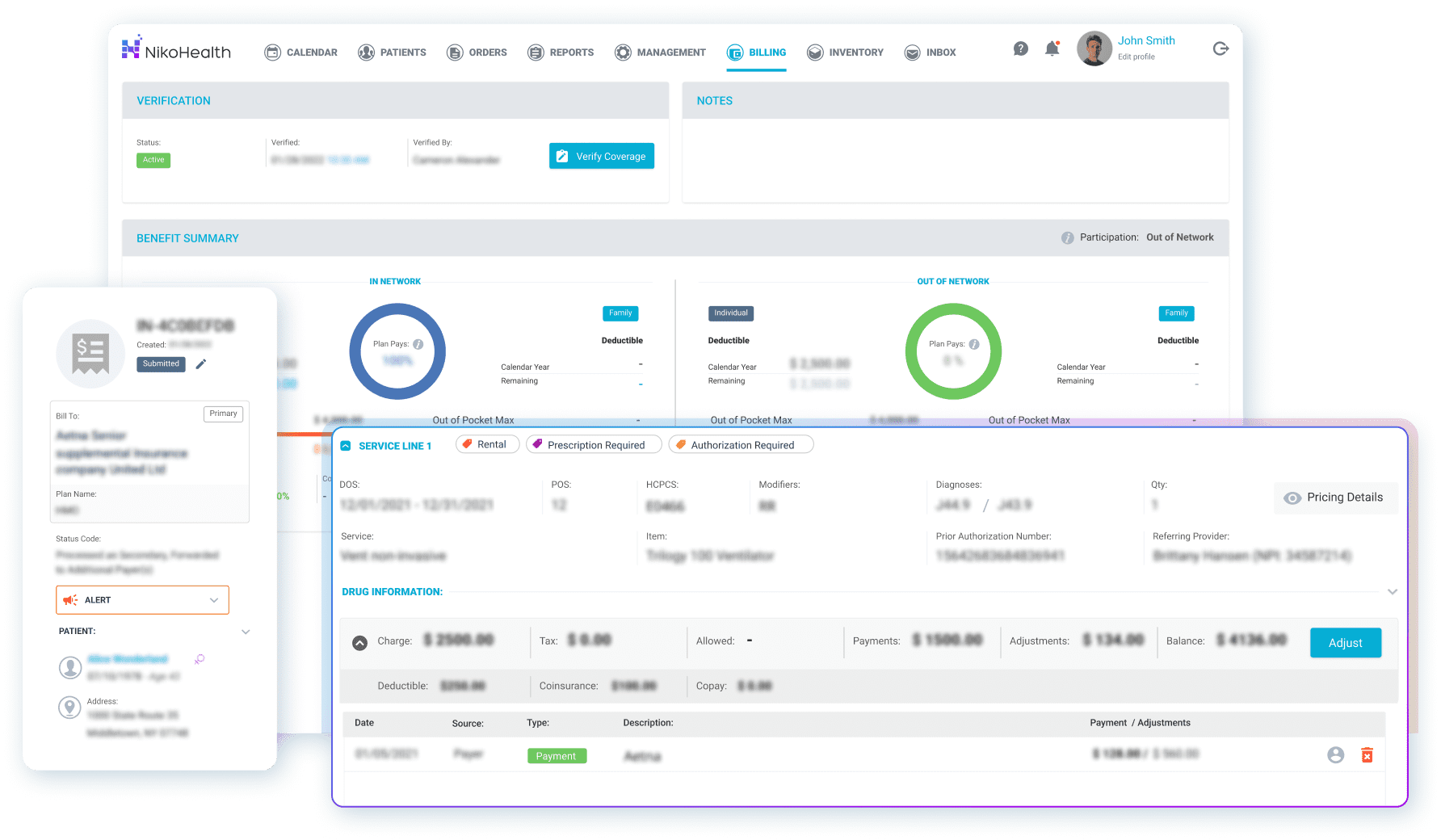
DME billing is one of the most complex revenue cycle processes in healthcare. Payer rules change constantly, claims require precise documentation, and a single error at submission can trigger a denial that takes weeks to resolve. HME billing software should automate every stage of that process — not just claims submission.
Core billing capabilities to look for:
- Automated eligibility verification — check patient insurance at intake, before any clinical or operational work begins, so coverage issues surface before they become claim rejections
- Claims scrubbing — every claim should be checked against payer-specific rules before submission, with errors flagged and corrected in the system rather than returned from the payer
- Denial management — rejected claims need a structured workflow: tracking, root cause identification, and resubmission. Without this, denials quietly become write-offs
- ERA/EOB processing — remittance posting should be automated, not handled by a billing team member manually matching payments to claims
- Recurring rental billing — for DME providers with monthly rental revenue, the platform should generate and track invoices automatically across the rental cycle
- CMN and prior authorisation management — the system should hold all documentation tied to each claim, with alerts when authorisations are expiring
- Payer fee schedule management — rates should be stored and applied systematically, not looked up manually per claim
NikoHealth clients using automated billing workflows have reported a 20% improvement in collections speed and, in some cases, doubled net collections within 18 months. Those results come from eliminating the manual touchpoints where errors and delays accumulate.
How Does HME Inventory Management Software Work?
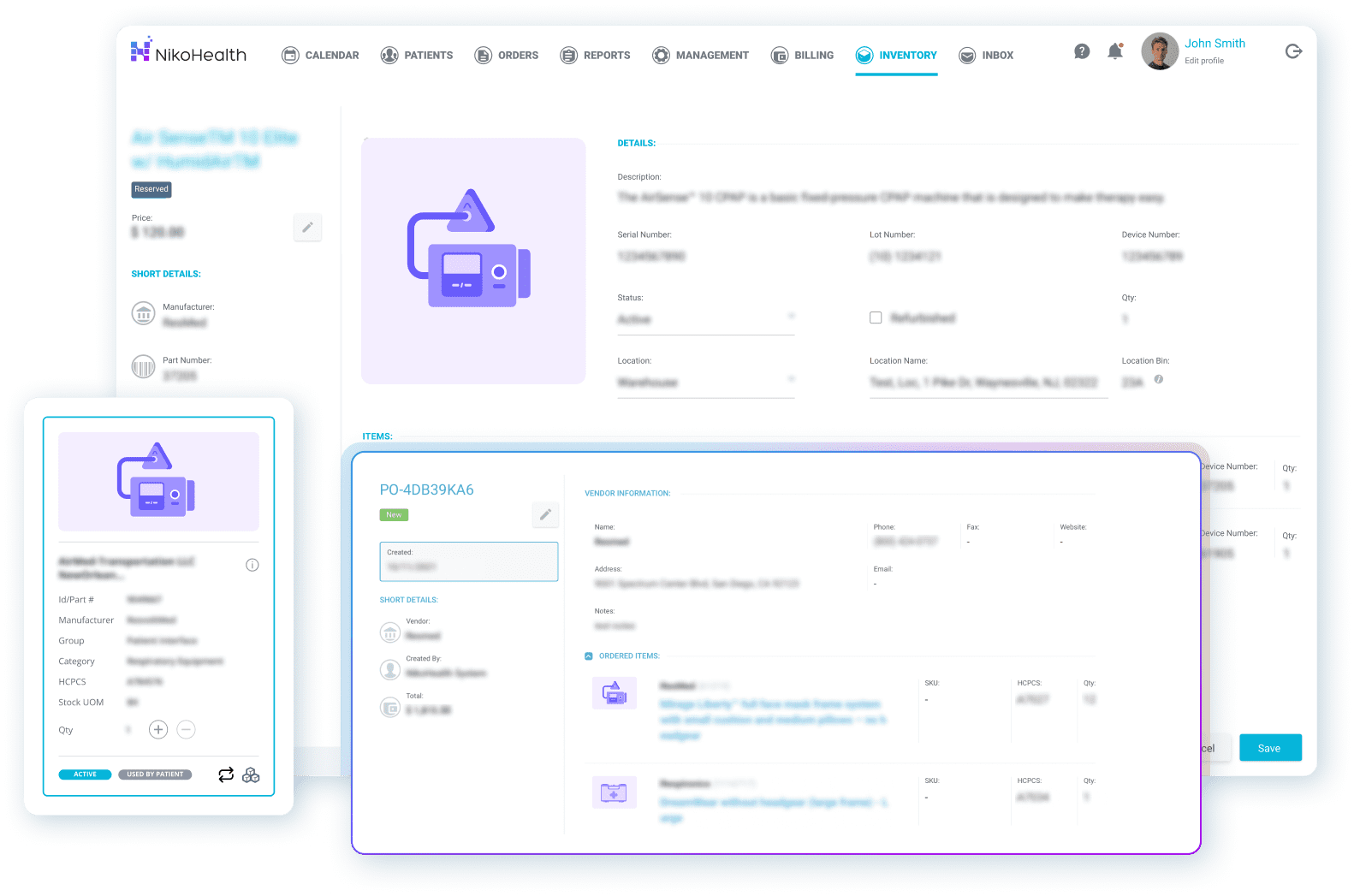
Inventory loss and inaccurate stock counts are expensive — both in direct equipment costs and in delayed patient deliveries. Good HME inventory management software gives you a real-time, accurate picture of every asset: where it is, its condition, its service history, and its value.
What to look for:
- Real-time stock visibility across all locations, including equipment out with field staff
- Barcode and serial number tracking to eliminate manual counts and reduce loss
- Reorder alerts so stock-outs don’t result in delayed patient deliveries
- Asset service history — know when equipment was last serviced, when it’s due again, and whether it’s fit for redeployment
- Integration with order management — inventory levels should update automatically as orders are processed and equipment is delivered or returned
Multi-location DME providers in particular benefit from centralised inventory visibility. Without it, stock gets siloed by branch and reordered unnecessarily while other locations sit on surplus.
What Makes a Good DME Order Management System?

Order management sits at the centre of your operation — it connects intake, billing, inventory, and delivery. Errors or delays here ripple across every other function. A solid order management system keeps the entire lifecycle in one place, from referral to fulfilment, with no manual handoffs between systems.
What good order management looks like:
- A single system of record for every order, accessible by billing, ops, and delivery teams simultaneously
- Automated resupply generation for recurring product categories — without manual intervention for each cycle
- Dropshipping management for orders fulfilled directly by suppliers
- Conversion tracking — monitor which referrals become orders and where drop-off happens
- Real-time order status visible to anyone in the business without asking someone else
The goal is to eliminate the version of your operation where a billing team member phones a warehouse to check whether an order shipped. That information should be live in the platform.
What Should DME Delivery Software Track?
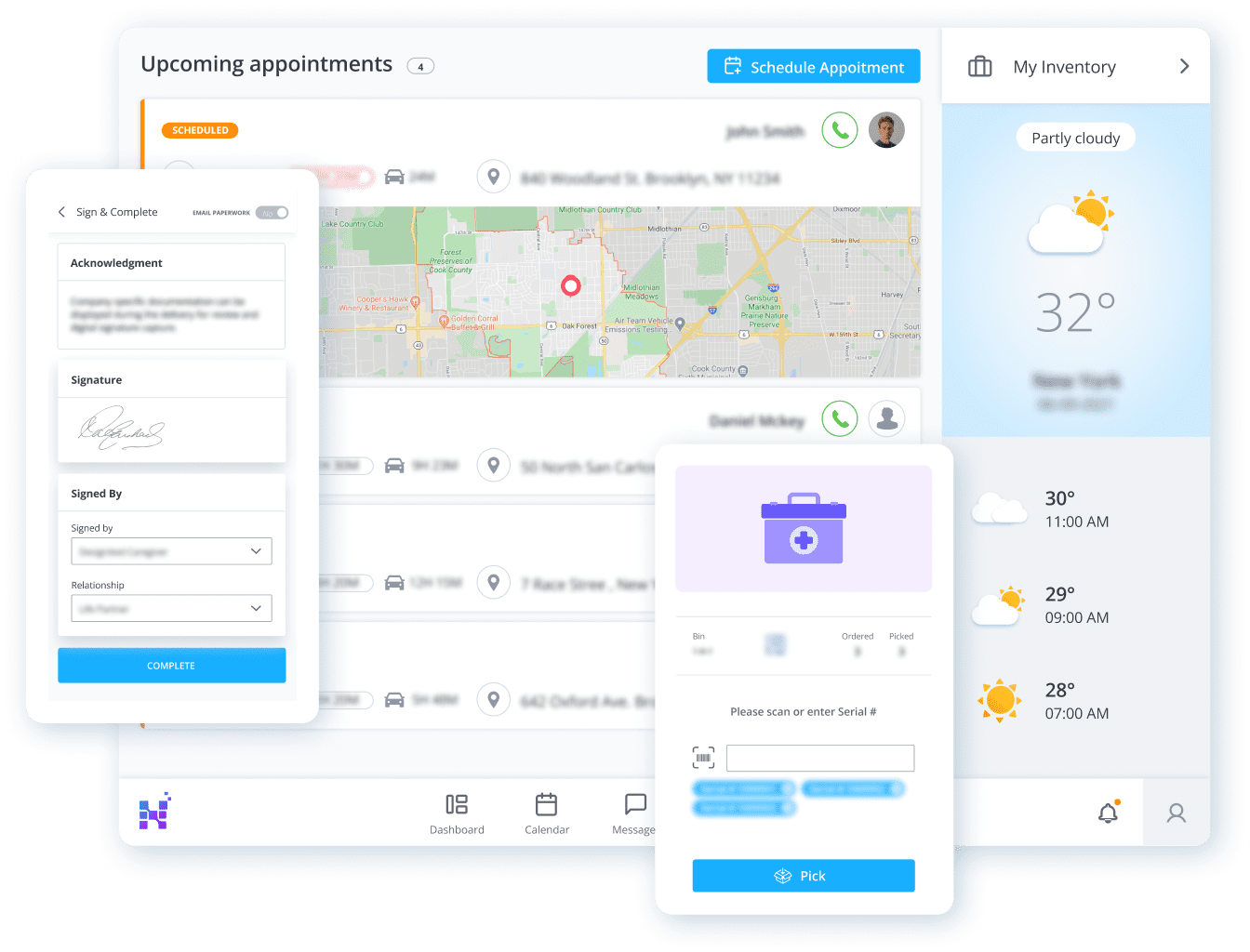
Delivery is where the patient experience is won or lost — and where documentation gaps most often cause downstream billing problems. DME delivery software should replace paper-based workflows entirely, connecting field teams to the back office in real time.
Key delivery capabilities:
- Real-time delivery tracking — dispatchers and managers see live status without calling drivers
- Electronic signature capture at point of delivery, stored directly against the patient record
- Automatic inventory updates when equipment is assigned or delivered
- Subsequent visit scheduling visible to field teams on mobile devices
- Delivery exception management — damaged, refused, or delayed deliveries captured and escalated immediately
A mobile-first delivery app — available on both iOS and Android — is no longer optional for DME providers. Field teams managing paperwork at the end of a delivery run are a compliance risk and a billing delay waiting to happen. E-signatures captured in the field flow directly into the patient record, removing a manual filing step entirely.
How Does Patient Intake Work in HME Software?

Patient intake is the first point where errors become expensive. If insurance information is captured incorrectly, or eligibility isn’t verified at intake, that error travels through every subsequent stage — order, delivery, billing — and eventually surfaces as a denied claim. HME software should make intake structured, fast, and connected to verification systems from the start.
What to look for in patient intake:
- Insurance eligibility verification triggered automatically at intake — not as a separate manual step
- Patient demographic capture with validation to reduce data entry errors
- CMN and referral document management tied to the patient record
- Patient financial responsibility estimates so co-pays and deductibles are communicated upfront
- Prior authorisation tracking with expiry alerts to avoid billing without valid authorisation
How Does Patient Scheduling Work in HME Software?

Scheduling in a DME context covers more than appointments — it includes delivery scheduling, follow-up visits, equipment check-ins, and resupply timing. Effective HME scheduling software consolidates all of these into one calendar view, reducing missed visits and improving patient communication.
Scheduling features that matter:
- Unified scheduling view across patient appointments, deliveries, and follow-ups
- Automated appointment reminders to reduce no-shows and late cancellations
- Scheduling changes propagated to all relevant teams in real time
- Visibility into staff and vehicle availability to prevent double-booking
How Do DME Providers Manage Documents Electronically?
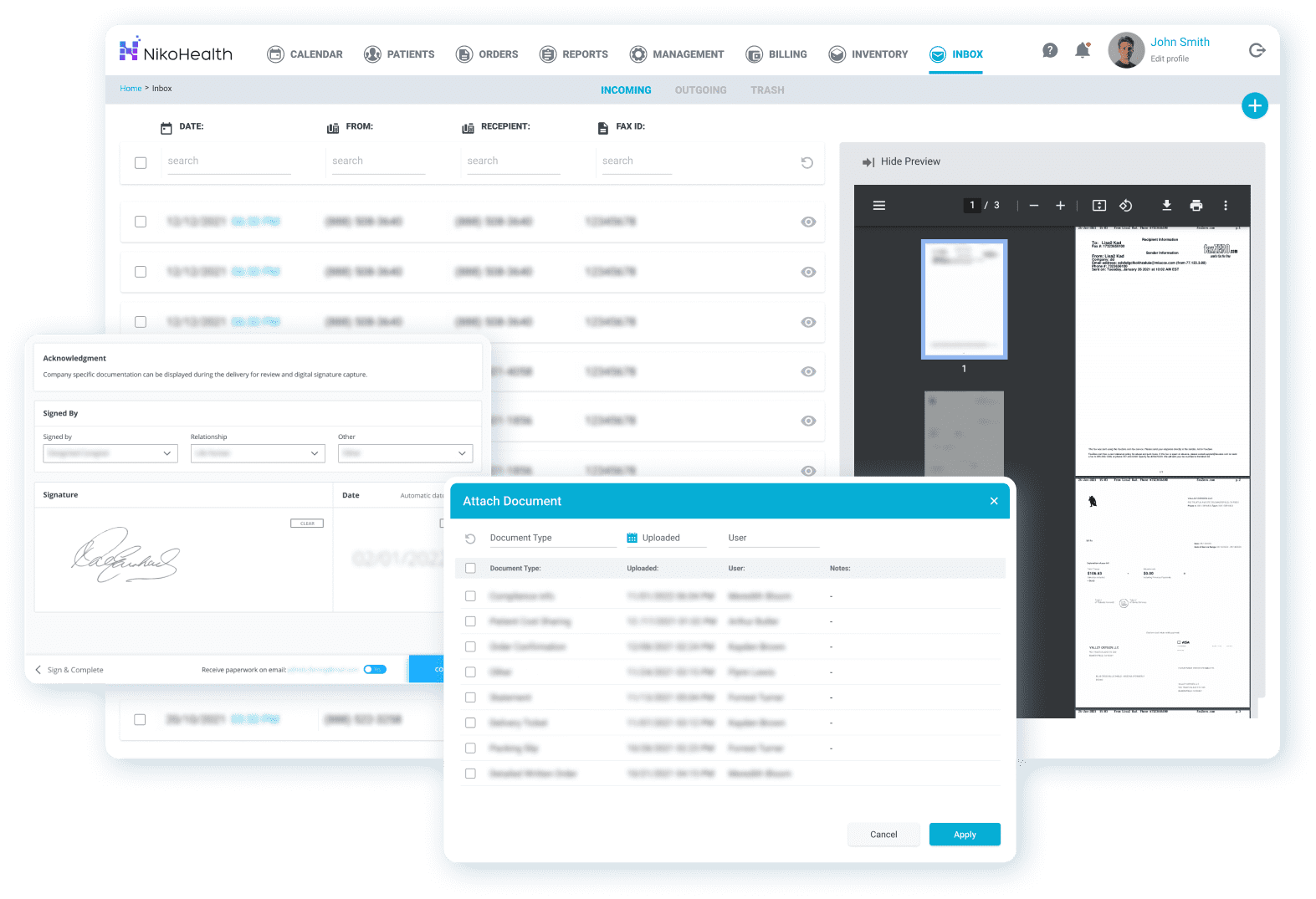
A DME business generates significant documentation — CMNs, delivery confirmations, insurance authorisations, proof of delivery, patient consent forms. Storing these across email inboxes, shared drives, and physical filing systems is a compliance risk and an audit liability. Document management in HME software should make every document findable in under a minute, tied to the patient or order it relates to.
What an effective document management system provides:
- Documents attached directly to patient records and orders — no separate filing system
- Field document capture: electronically completed forms uploaded from mobile devices immediately after delivery
- Secure sharing with referral partners and payers without leaving the platform
- Document type categorisation so audit preparation is organised, not chaotic
- Search and retrieval by patient, order, or document type
What Reports Should HME Software Generate?
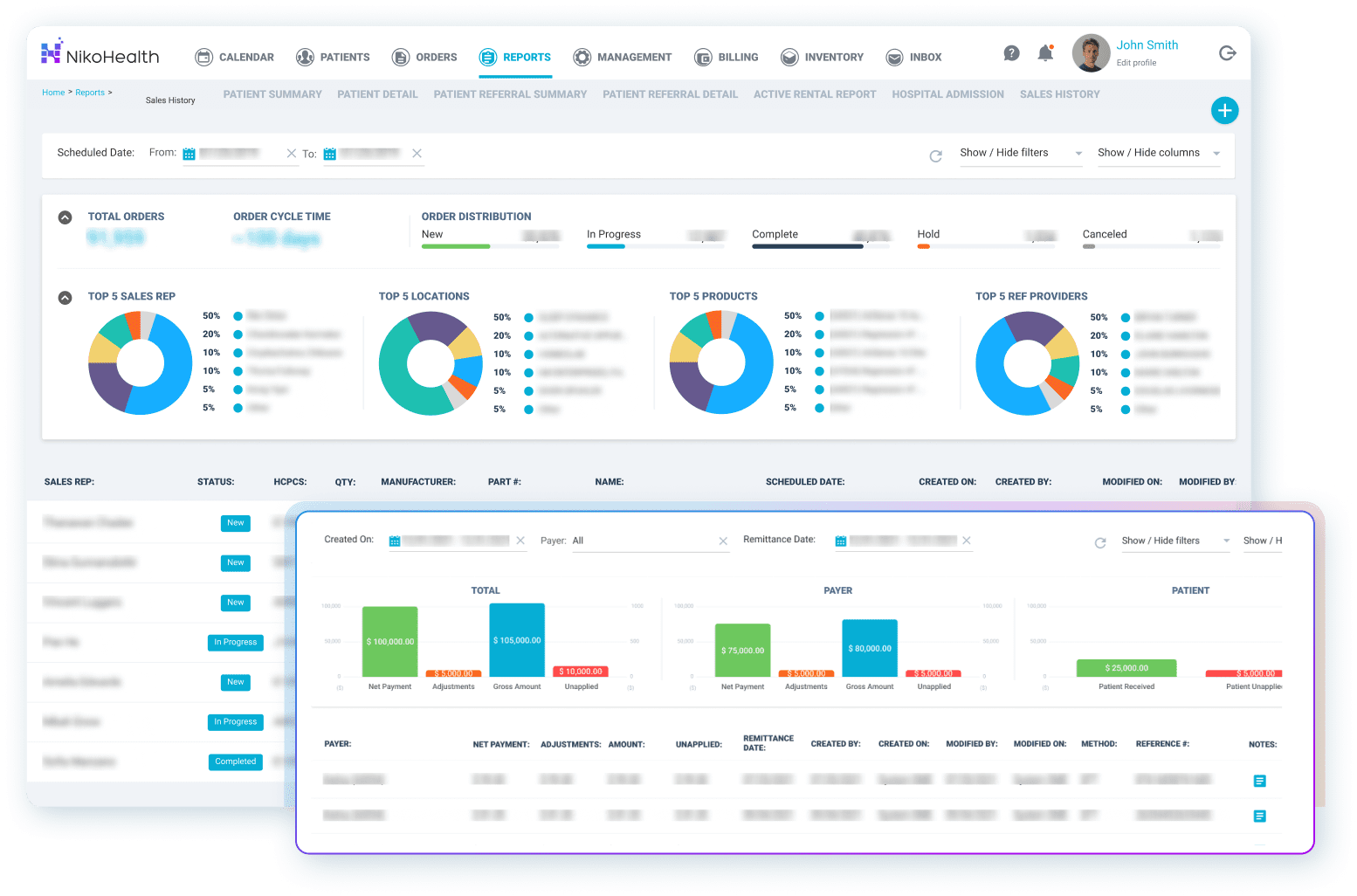
Reporting is how DME business owners and managers actually run their operation. Without accurate, real-time data, decisions get made on gut feel — or not made at all because the data is too hard to pull together. Good HME reporting software should surface the numbers that matter without requiring a data export and manual spreadsheet build.
The reports your platform should produce out of the box:
- Revenue cycle: claims submitted, paid, denied, and outstanding — with ageing breakdowns
- Collections performance: payments received versus expected, by payer and period
- Denial analysis: denial rates by payer, reason code, and staff member
- Inventory: stock levels, asset values, reorder status, and service due dates
- Order metrics: fulfilment rates, cycle times, and referral conversion
- Delivery: completion rates, exceptions, and time-in-field by driver
- Audit-ready billing reports: invoices, rental histories, and remittance records by patient
The best HME platforms provide customisable dashboards so owners, billing managers, and operations leads each see the numbers most relevant to their role — without generating reports that need to be filtered manually every time.
How Does HME Software Support Better Patient Care?
Every feature described above ultimately serves a single goal: patients receiving the right equipment, on time, without administrative errors creating gaps in their care. When billing is accurate, inventory is visible, deliveries are tracked, and documentation is complete, your team spends less time on process firefighting and more time on the work that actually matters.
NikoHealth consolidates all eight of these capabilities into a single cloud-based platform — purpose-built for HME/DME providers. There’s no stitching together of separate billing, inventory, and delivery tools. Everything is connected, which means data entered at intake flows through to billing automatically, delivery status updates inventory in real time, and every team works from a single source of truth.
How to Evaluate HME Software: 5 Questions to Ask Any Vendor
Before committing to a platform, use these questions to pressure-test what you’re being shown in a demo:
- How does your system handle a mid-year payer rule change — do we update it manually or is it automated?
- What does your claim denial rate look like for existing clients, and how does your platform help reduce it?
- How long does implementation typically take for a business our size, and what does data migration from our current system involve?
- Does your mobile app work offline, and how does it sync when field staff return to connectivity?
- What does your API look like — can we connect to the AI and partner tools we’re already evaluating?
A vendor who can answer all five specifically (with client examples) is worth a deeper conversation. Vague answers to any of these are a signal worth noting.
Frequently Asked Questions: HME Software
What is the difference between HME software and DME software?
HME (Home Medical Equipment) and DME (Durable Medical Equipment) software refer to the same category of platform. The terms are used interchangeably in the industry, with DME more commonly used in Medicare and billing contexts and HME more common in operational and logistics discussions. A purpose-built platform for this sector handles both.
How long does HME software implementation take?
For small-to-medium DME providers, implementation typically takes 90 to 120 days, including data migration from legacy systems. The timeline depends on how complex your current data structure is and how much configuration your workflows require. Structured onboarding with a dedicated implementation team significantly reduces the risk of disruption during the transition.
Can HME software integrate with Medicare billing systems?
Yes. Purpose-built HME platforms connect directly with Medicare clearinghouses for electronic claim submission, ERA/EOB retrieval, and eligibility verification. They also manage DMEPOS-specific billing requirements including CMN documentation, prior authorisation tracking, and recurring rental billing cycles.
What should I look for when switching from a legacy HME system like Brightree?
The most important factors are data migration quality and billing continuity. Your historical patient records, claim history, and inventory data need to transfer cleanly — gaps here cause billing problems post-migration. Look for a vendor with a structured migration process and references from providers who have switched from your current platform. Also evaluate how much retraining your staff will need: modern platforms typically have a much lower learning curve than legacy systems.
Does HME software need to be cloud-based?
Cloud-based HME software is now the standard for good reason. It eliminates on-premise installation costs, delivers automatic updates without IT intervention, and allows field teams and multiple locations to access the same data in real time. Legacy desktop-installed systems require manual patches and often can’t support mobile delivery workflows. For any DME provider evaluating platforms today, cloud-based is the baseline, not a premium option.

With over a decade of experience in medical software and hardware support, Alan combines technical expertise with hands-on client collaboration to help organizations achieve successful implementations.

Related Articles