



Why a Feature Checklist Is Not a Scorecard
A checklist tells you whether a vendor has a capability. It tells you nothing about depth, reliability, or how the capability performs at your volume. A scorecard adds three things a checklist skips:
- Weighting. Not every criterion matters equally. A provider with heavy CPAP resupply volume weights automation differently than an orthotics supplier.
- Evidence, not claims. Each criterion pairs with a question that requires a live workflow, current client data, or a reference customer, not a roadmap slide.
- A comparable score. Several vendors, one spreadsheet, one number per criterion. That turns a gut-feel decision into one you can defend to your CFO.
The DME Software Vendor Scorecard
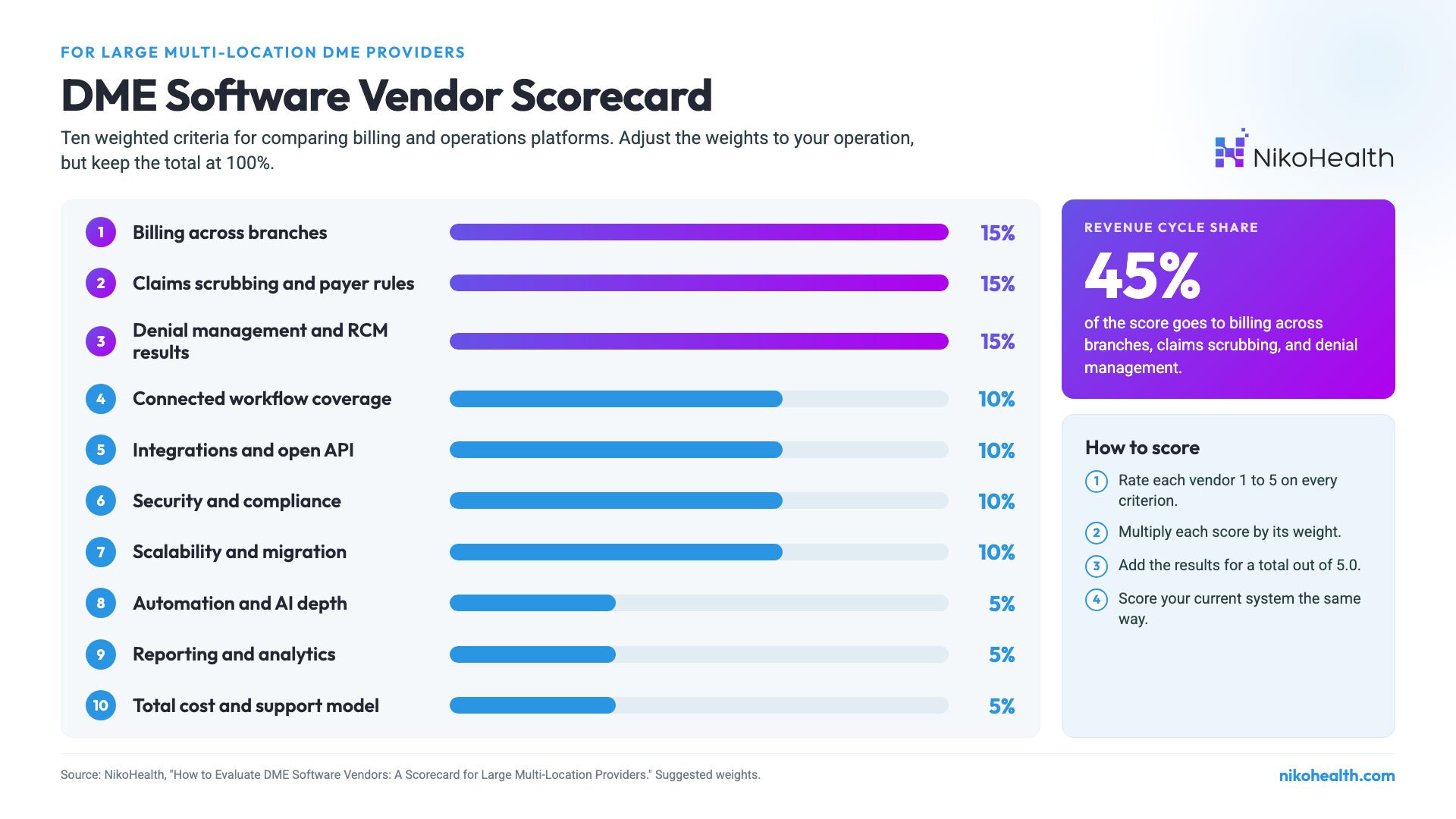
Score each vendor from 1 (weak) to 5 (strong) on every criterion, multiply by the weight, and add the results. A perfect vendor scores 5.0. Adjust the weights to your operation, but keep the total at 100%.
# | Criterion | Weight | What to ask the vendor |
1 | Billing complexity across branches | 15% | Show billing for three locations with different payer mixes from one login, and a consolidated AR view. |
2 | Claims scrubbing and payer rules | 15% | Show a claim being stopped before submission for a payer-specific rule, and how we add a new rule ourselves. |
3 | Denial management and RCM results | 15% | Share the range of DSO and denial rates across current multi-location clients, not your best case. |
4 | Connected workflow coverage | 10% | Walk one order from referral to paid claim without leaving the platform. |
5 | Integrations and open API | 10% | Show the API documentation live and list the partners already connected. |
6 | Security and compliance | 10% | Send your current SOC 2 report and ISO 27001 certificate, and confirm you will sign a BAA. |
7 | Scalability and migration | 10% | Describe a migration from our current system for a provider our size, phase by phase. |
8 | Automation and AI depth | 5% | Which decisions does automation make without a person, and what happens when it is wrong? |
9 | Reporting and analytics | 5% | Build a custom report on live data, by branch and by payer, right now. |
10 | Total cost and support model | 5% | What did year-one cost look like for a client our size, and who is our contact after go-live? |
1. Billing Complexity Across Branches (15%)
Multi-location providers bill under several locations, each with its own PTAN, payer mix, and staff. The platform needs to handle that from one system while keeping each branch’s data clean. Look for centralized billing with branch-level detail, a consolidated view of AR across locations, and permissions that let regional managers see their branches without seeing everything.
Ask the vendor: “Show me billing for three locations with different payer mixes from one login, then show me a consolidated AR report across all three.” If the answer involves exporting and combining spreadsheets, the platform was not built for your scale.
2. Claims Scrubbing and Payer Rules (15%)
With a DMEPOS improper payment rate near one in four Medicare dollars, catching errors before submission is where software earns its cost. Look for automated pre-submission checks against payer-specific rules: HCPCS codes and modifiers, written order elements, prior authorization status, and frequency limits. Your billing team should be able to add and change rules themselves as payers update policies.
Ask the vendor: “Show me a claim being stopped before submission because it broke a payer-specific rule. Then show me how my team adds a new rule without a support ticket.”
3. Denial Management and RCM Results (15%)
This is the criterion with the most measurable return, and the one buyers most often under-weight. Look at how the platform identifies, queues, and routes denials, whether ERA/EOB (Electronic Remittance Advice / Explanation of Benefits) posting is automated, and how it affects DSO and AR days. See our guide to DME denial management for what a strong workflow looks like.
Ask the vendor: “Share the range of DSO and denial rates across your current multi-location clients, not your best case study.” A vendor who can only produce one highlight number is showing you a highlight reel.
4. Connected Workflow Coverage (10%)
Billing quality depends on what happens before the claim. Does the platform run intake, documentation, orders, inventory, delivery, and billing on one connected data model? Or is it several acquired products behind a shared login? Every hand-off between systems is a place where data goes missing and claims go out incomplete.
Ask the vendor: “Walk me through one order from referral to paid claim without leaving the platform.” If the demo switches systems or says “that part is on our roadmap,” you have found the seam.
5. Integrations and Open API (10%)
Large providers already run clearinghouses, payer portals, referral platforms, and telephony tools. A platform that cannot connect to them becomes another silo. Evaluate the API directly, not the marketing page, and check whether the vendor has an active partner ecosystem or treats every integration as a custom, billable project. The 2025 CAQH Index estimates a $21 billion industry savings opportunity from moving remaining manual administrative transactions to electronic workflows, and integration is how much of that is captured.
Ask the vendor: “Show me your API documentation live, and list the partners already connected in production.”
6. Security and Compliance (10%)
At enterprise scale this is non-negotiable, and it is the criterion most likely to get a one-line answer. Ask specifically about compliance with the HIPAA Security Rule, an independent SOC 2 audit, ISO 27001 certification, encryption in transit and at rest, single sign-on, two-factor authentication, role-based access, and audit logs. Confirm the vendor will sign a Business Associate Agreement (BAA).
Ask the vendor: “Send me your most recent SOC 2 report and ISO 27001 certificate.” If they cannot produce them on request, that is your answer.
7. Scalability and Migration (10%)
A platform for large providers has to support new branches, users, and payers without slowing down or forcing a re-platform. Migration is where projects most often go wrong. The software is rarely the bottleneck. Data cleanup, workflow mapping, and training are. Ask for a realistic, phase-by-phase plan, and read what drives DME software migration timelines before you accept any estimate.
Ask the vendor: “How do you migrate messy legacy data, including duplicate patients, incomplete documentation, and open claims? Can I speak to a client who moved from our current system?”
8. Automation and AI Depth (5%)
Every vendor now says “AI-powered.” The question is whether automation runs inside your workflows or sits next to them. Look for automation in intake, eligibility checks, resupply outreach, and delivery routing, with clear rules for when a person reviews the result. Providers with high resupply volume should weight this criterion higher.
Ask the vendor: “Which decisions does your automation make without a person reviewing them, and what happens when it is wrong?”
9. Reporting and Analytics (5%)
Operations and finance leaders need the KPIs that predict problems in real time: denial rate by payer, DSO, AR aging, fill rate, and on-time delivery, broken down by branch. Monthly exports that someone reformats in a spreadsheet are a sign the data model is fragmented.
Ask the vendor: “Can I build a custom report on live data, by branch and by payer, right now, without a support ticket?”
10. Total Cost and Support Model (5%)
The subscription fee is the visible cost. The larger costs are denied claims, manual workarounds, and staff time lost to hard-to-learn legacy systems. Build a total cost model that includes implementation, training, integration fees, and the productivity dip after go-live. Then check what support looks like after launch: a named team or a general ticket queue.
Ask the vendor: “What did year-one cost look like for a client our size, including migration? Who is our point of contact six months after go-live, and can we call a reference client who has been live that long?”
How to Turn the Scorecard Into a Decision
- Agree on weights before the first demo. Bring billing, operations, IT, and finance into the conversation, since each will notice different gaps.
- Send every vendor the same questions and the same sample scenarios from your own operation.
- Score each criterion from 1 to 5 during or right after the demo, while details are fresh.
- Multiply each score by its weight and add the results for a total out of 5.0.
- Score your current system too. If it scores below every alternative, that gap is the real cost of staying.
Most teams find the exercise valuable less for the final number than for what it exposes. The criterion where every vendor scores low is usually the risk nobody raised out loud.
Red Flags to Watch for During Demos
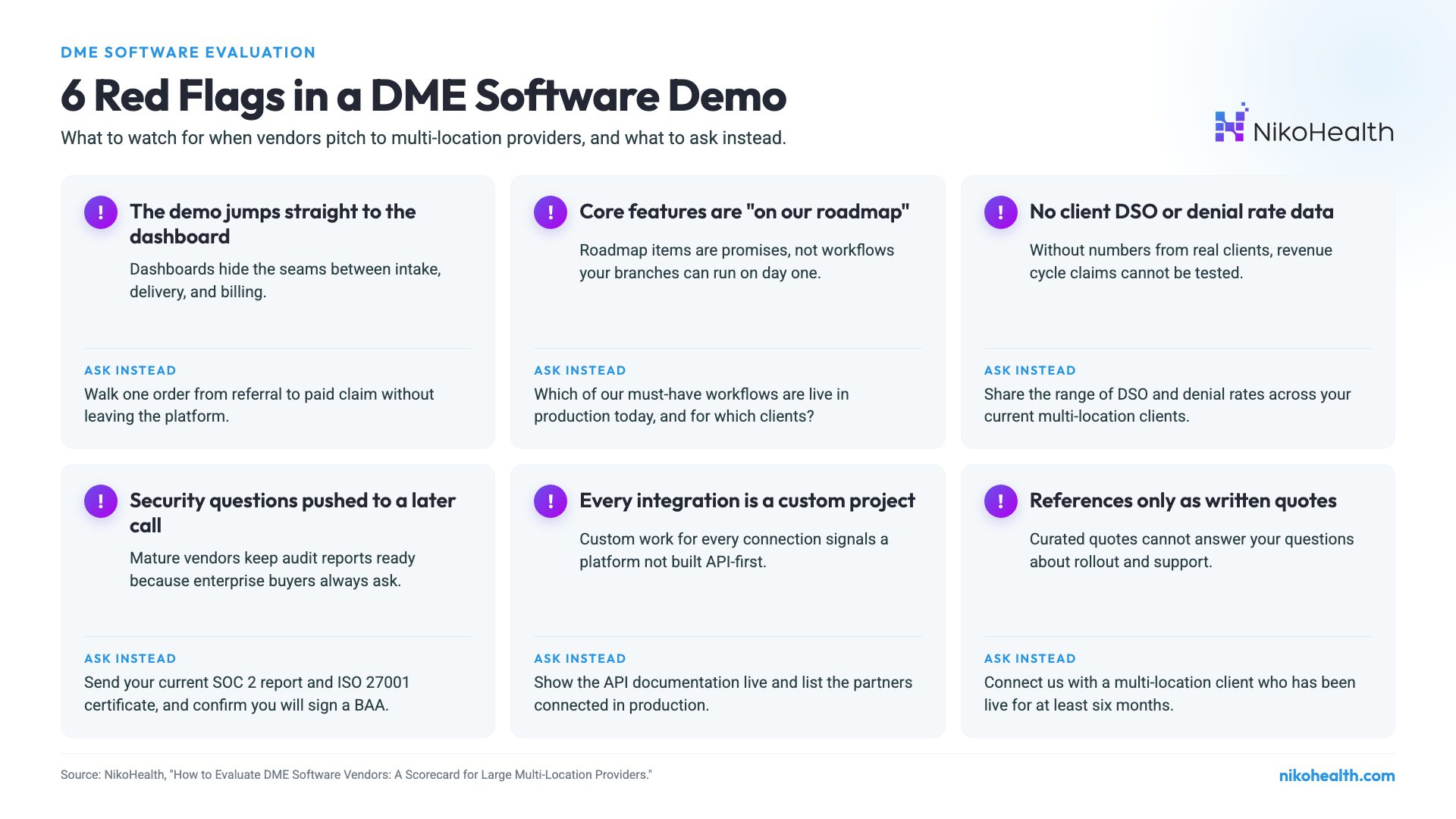
- The demo jumps straight to the dashboard. Ask to see intake to paid claim in one continuous flow.
- “That is on our roadmap” for anything you consider core.
- No DSO or denial rate data from current clients, only general promises about the revenue cycle.
- Security questions get pushed to a follow-up call. A mature vendor has its SOC 2 report ready.
- Every integration is a custom project. That suggests the platform was not built API-first.
- References are only written quotes, never a live call with a multi-location client.
How NikoHealth Measures Up for Multi-Location Providers
NikoHealth is built for large, multi-location, high-volume DME and HME operations with complex billing. It runs intake, orders, inventory, delivery, resupply, and billing on one connected data model, with real-time dashboards by branch and payer. Here is how it maps to the scorecard’s highest-weighted criteria.
- Claims scrubbing and denials. Automated pre-submission compliance checks, a configurable payer rules engine, automated ERA/EOB posting, and denial management queues. Bedard Medical reduced denial rates by 5 to 8%, the lowest in its history.
- RCM results. Precision Medical Products consolidated several disconnected systems and reduced DSO from 120 to 75 days. In-Home Respiratory improved collections speed by 20%.
- Security and compliance. HIPAA-compliant, ISO 27001-certified, and SOC 2, with encryption in transit and at rest, SSO, and two-factor authentication. See NikoHealth security.
- Integrations. An open API with partners including Tennr for AI referral intake and Parachute Health for electronic orders.
- Migration. Structured data migration from Brightree, Bonafide, DMEWorks, and Fastrack, with typical implementation in 90 to 120 days.
For more results from providers at scale, see our case studies. To run this scorecard against NikoHealth yourself, request a live demo.
Frequently Asked Questions
How do you evaluate DME software vendors?
Use a weighted scorecard instead of a feature checklist. List the criteria that matter most to your operation, assign each a weight that adds up to 100%, ask every vendor for evidence such as live workflows and client metrics, score each criterion from 1 to 5, and compare weighted totals. Score your current system the same way.
What should large multi-location DME providers look for in software?
Prioritize billing across branches from one system, automated claims scrubbing against payer-specific rules, denial management with automated ERA/EOB posting, and real-time reporting by branch and payer. Then check integrations, security certifications, and the vendor’s migration process for a provider your size.
How much weight should billing and RCM get in a DME software evaluation?
For large providers, revenue cycle criteria usually deserve the most weight. This scorecard gives 45% to billing across branches, claims scrubbing, and denial management combined, because those criteria have the most direct effect on cash flow, DSO, and audit risk.
What security certifications should a DME software vendor have?
Look for HIPAA compliance with a signed Business Associate Agreement, an independent SOC 2 audit report, and ISO 27001 certification. Also confirm encryption in transit and at rest, single sign-on, two-factor authentication, role-based access, and audit logging. Ask for the documents, not just a statement.
How long does it take to implement new DME software?
It depends on data volume, number of locations, and how clean the legacy data is. NikoHealth’s typical implementation for medium-to-enterprise DME providers is 90 to 120 days, including data migration and training. Ask every vendor for a phase-by-phase plan and a reference client of similar size.
What questions should I ask in a DME software demo?
Ask the vendor to walk one order from referral to paid claim, show a claim stopped by a payer-specific rule, share DSO and denial rate ranges across current clients, send their SOC 2 report, show the API documentation live, and connect you with a multi-location reference client.


Related Articles