


What Is Medical Equipment Rental Management?
Medical equipment rental management covers the full lifecycle of a rented asset — from the moment it’s assigned to a patient through every service visit, rental period, and final return. For HME/DME providers, this includes:
- Tracking which equipment is with which patient and for how long
- Managing recurring billing cycles tied to Medicare’s rental cap rules
- Scheduling and documenting preventive maintenance and repairs
- Processing returns efficiently and returning assets to available inventory
- Maintaining audit-ready records for compliance with CMS and accreditation bodies
The challenge is that most of these tasks are interconnected. A missed maintenance check can create a compliance gap. An unprocessed return throws off your inventory counts. A billing error on a capped rental delays payment and triggers a denial. That’s why managing rentals well isn’t just an operational concern — it directly impacts your revenue cycle.
DME Rental Tracking: What You Actually Need to Know
Solid DME rental tracking means knowing, at any given moment, where every piece of equipment is, who has it, what condition it’s in, and when it was last serviced. That sounds basic. In practice, it’s where most providers struggle.
The Core Data Points Every Rental Record Should Include
- Patient name, address, and contact — updated at each delivery or exchange
- Equipment make, model, and serial number
- Delivery date and assigned technician
- Rental start date and applicable billing cycle
- Prior authorization and CMN status (especially for Medicare patients)
- Last maintenance date and next scheduled service
- Return status or expected pickup date
When this data lives in one system (not across spreadsheets, a billing platform, and someone’s email inbox) your team can act on it. Your billing manager can see which rentals are approaching the Medicare capped rental threshold. Your warehouse team can see which assets are due back this week. Your operations team knows exactly how many units are available for new orders.
Capped Rentals and Medicare Billing Rules
For equipment covered under Medicare’s capped rental rules (oxygen, power wheelchairs, and certain other DMEPOS categories) rental tracking isn’t just operationally important, it’s a compliance requirement. Medicare reimburses most capped rental equipment for 13 months, after which ownership transfers to the patient. Billing past the cap without a valid KX modifier or documentation of medical necessity is a denial, and potentially an overpayment.
The CMS DMEPOS billing guidelines are clear on this, and payers audit it. Your rental tracking system needs to flag these milestones automatically, not rely on a billing team member remembering to check.
Rental Equipment Maintenance: Building a System That Holds Up
Rental equipment maintenance is one of the most overlooked parts of running an HME/DME operation — until something breaks down at a patient’s home or a surveyor asks for maintenance records you don’t have.
Accreditation bodies like ACHC require documented maintenance programs for rental equipment. That means written protocols, service logs, and evidence that your team is following them. Not because of paperwork for its own sake, but because unmaintained equipment is a patient safety risk.
What a Compliant Maintenance Program Looks Like
At a minimum, your rental equipment maintenance program should cover:
- Manufacturer-specified service intervals — follow the OEM schedule, not a generic one
- Incoming inspection before every redeployment after a return
- Documentation of every cleaning, repair, and calibration event
- Tagging or status flags for equipment that’s quarantined or awaiting repair
- Technician sign-off with date and serial number on every service record
The practical problem is that tracking all of this manually (even with a shared spreadsheet) creates gaps. Equipment gets redeployed before inspection because a note was missed. Service records are stored in a binder in the warehouse instead of attached to the asset record.
Modern HME/DME software handles this by attaching maintenance history directly to the asset record. Every service event is logged against the serial number. When that equipment is returned and processed back into inventory, the system flags it for inspection before it’s available for redeployment. No manual check required.
DME Return Management: Closing the Loop
Returns are where rental management gets messy. The patient calls to say they don’t need the equipment anymore. Or a case closes. Or equipment is being upgraded. However it starts, DME return management involves a chain of steps that have to happen in the right order, and each one creates downstream effects on billing, inventory, and maintenance.
The Standard Return Workflow
A clean return process typically follows these steps, and your order management system should support each one:
- Return initiated — patient or referral source notifies your team. This triggers a pickup order.
- Pickup scheduled — field technician assigned, date confirmed, patient communication sent.
- Equipment retrieved and documented — serial number confirmed, condition noted at pickup via mobile app.
- Billing closed — rental billing is stopped as of the return date. Any outstanding balances are flagged for reconciliation.
- Maintenance inspection — equipment is quarantined and inspected before returning to available inventory.
- Inventory updated — asset status changes from “with patient” to “available” or “in service” depending on inspection outcome.
The problem with manual workflows is that steps get skipped. Billing doesn’t get notified about the return until a week later. Equipment goes back on a shelf without an inspection tag. Inventory counts are wrong.
When your inventory management system is connected to your order management and billing platforms, each step in this workflow triggers the next automatically. The return is logged once, and the downstream updates (billing, inventory status, maintenance queue) happen in the same system.
How Medical Equipment Rental Software Changes the Equation
Providers still running their rental operations on legacy systems (or worse, spreadsheets) are fighting against their own workflows. Purpose-built medical equipment rental software isn’t just about convenience. It’s about closing the gaps that cost you money.
Real-Time Asset Visibility
A purpose-built DME platform gives you a live view of every rental asset (current patient, billing status, maintenance history, and return schedule) without needing to cross-reference multiple systems. That means faster decisions when a patient calls with an equipment issue, and fewer surprises during payer audits.
Automated Recurring Billing
Rental billing is repetitive and error-prone when done manually. Modern DME billing software automates recurring invoice generation, handles capped rental cutoffs, and scrubs claims before submission, so your billing team is working exceptions, not typing the same claim data every month.
Connected Delivery and Returns
Your field team shouldn’t be calling the office to update a return status. With a mobile-connected delivery and returns workflow, technicians can capture e-signatures, document equipment condition, and update asset status from the field. The warehouse team sees the return before the truck is back. Billing gets notified automatically.
Compliance-Ready Documentation
When an accreditation surveyor asks for your maintenance records or a payer requests documentation for a prior authorization audit, the records need to be searchable and organized. The right HME software platform attaches documentation to orders, patients, and assets — so you’re not pulling records from three different folders the day before an audit.
Common Rental Management Mistakes, and How to Fix Them
Common Mistake | What to Do Instead |
No maintenance schedule for returned equipment | Build an inspection checkpoint into every return workflow — automated in your software |
Billing continues after a rental ends | Connect billing to your return workflow so claims stop the day the pickup is confirmed |
Serial numbers not tracked at delivery | Require serial number capture at delivery via mobile app — no serial, no delivery confirmation |
Capped rental milestones missed | Use your DME rental tracking system to flag caps automatically at month 10 and month 13 |
Returns processed without condition notes | Standardize a condition checklist in your mobile app for every pickup — quarantine anything flagged |
Inventory counts out of sync with reality | Audit asset status weekly; run a reconciliation report between your system and physical stock |
Choosing the Right Medical Equipment Rental Software
Not all DME software handles rentals well. When you’re evaluating platforms, here are the capabilities that matter most for rental management:
- Asset-level tracking — individual serial numbers with full history, not just item counts
- Automated recurring billing — with capped rental logic built in, not bolted on
- Maintenance workflow integration — service events attached to asset records, not filed separately
- Mobile app for field teams — e-signatures, condition documentation, real-time status updates
- Return processing that updates billing and inventory simultaneously (no manual syncing between systems
- ACHC/NABP/BOC-ready documentation) audit trails and maintenance logs built into the system
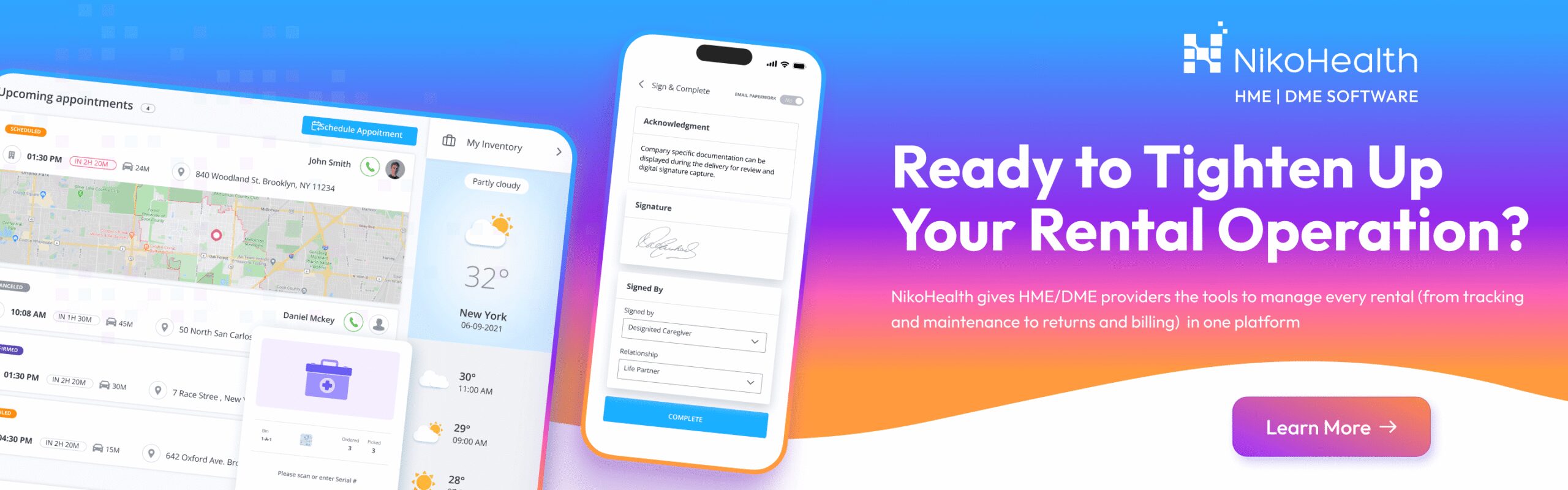
NikoHealth brings all of this into one platform. From patient intake and order management to inventory tracking, DME billing, and delivery — rental management lives in the same system as everything else. No stitching together tools. No gaps between workflows.
Frequently Asked Questions
What is medical equipment rental management?
Medical equipment rental management is the process of tracking, maintaining, billing, and returning rented DME assets across your patient population. It covers the full asset lifecycle (from delivery to the final return), and includes recurring billing, maintenance documentation, and inventory reconciliation. For HME/DME providers, doing this well is both an operational and compliance requirement.
How does DME rental tracking work in practice?
DME rental tracking works by assigning each piece of equipment a unique asset record (tied to a serial number) that captures every delivery, service event, and return. Modern software surfaces this data in real time, so your team can see where every asset is, what its billing status is, and when it was last inspected, without making phone calls or checking spreadsheets.
What are the Medicare rules for capped rental equipment?
Medicare covers most capped rental equipment (oxygen concentrators, power wheelchairs, and certain other DMEPOS categories) for up to 13 months. After that, ownership typically transfers to the patient and billing stops. CMS publishes billing guidelines for each equipment category. Your DME rental tracking system should flag these thresholds automatically to prevent billing errors and claim denials.
How often should rental equipment be serviced?
Service intervals depend on the equipment type and manufacturer guidelines. As a baseline, all returned equipment should be inspected and cleaned before redeployment. For active rentals, follow OEM-specified maintenance schedules — typically annual for most home medical equipment, more frequently for complex devices. Your ACHC accreditation requirements will specify documentation standards for your maintenance program.
What should a DME return management workflow include?
A solid DME return management workflow includes return initiation, pickup scheduling, condition documentation at retrieval, billing closure, maintenance inspection, and inventory status update. Each step should trigger the next automatically in your software, so nothing falls through the cracks between your field team, warehouse, and billing department.
Can NikoHealth manage both rental tracking and billing in one system?
Yes. NikoHealth handles DME rental tracking, recurring billing, inventory management, maintenance records, and return workflows in a single cloud-based platform. When a return is processed, billing updates automatically. When equipment goes to maintenance, it’s flagged in inventory. There’s no manual syncing between separate systems. Book a demo to see how it works for your operation.


Related Articles